
Our API is OpenAI-compatible and follows the OpenAI API specification, supporting commonly used endpoints and SDKs. Applications and tools that support OpenAI-compatible APIs can typically be connected by simply updating the Base URL and authentication settings. This enables seamless integration with popular solutions such as Open WebUI, n8n, OpenCode, custom applications, and automation platforms, providing direct access to the latest AI models available through the HKUST Generative AI API.
To help you get started quickly, we have provided sample configurations for several popular AI tools, including Open WebUI, n8n and OpenCode. These examples demonstrate how to connect the tools to the HKUST Generative AI API and begin building AI-powered solutions with minimal configuration. (Note: The actual deployment of these tools is out of scope)
Most OpenAI-compatible tools can be connected by configuring the following settings:
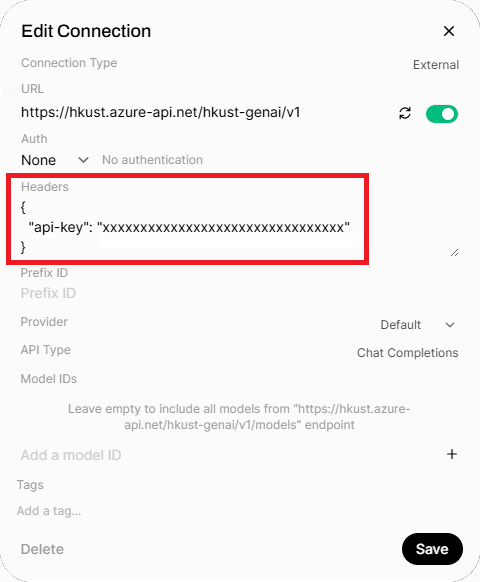
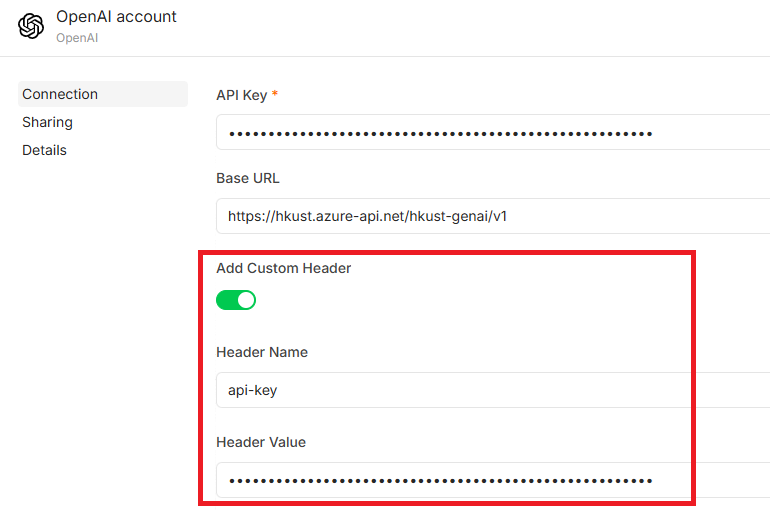
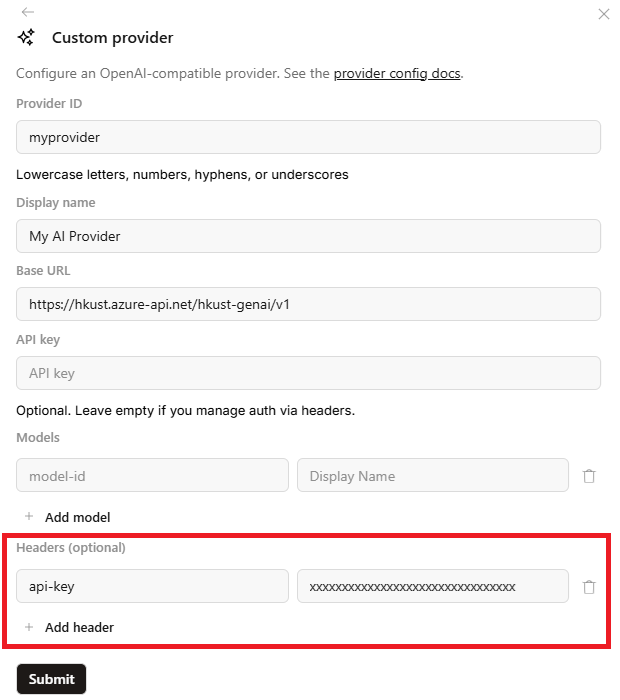
- Base URL: https://hkust.azure-api.net/hkust-genai/v1
- api-key: obtain your API key by following the instruction in the section HKUST Generative AI API Key subscription for adding as a custom header.
Open WebUI
Go to Admin Panel -> Settings -> Connections -> Add Connections ('+')
N8N
Go to Credential -> Create a new credential -> select Open AI
OpenCode
Open Code Desktop App: Go to settings -> Providers -> Custom provider
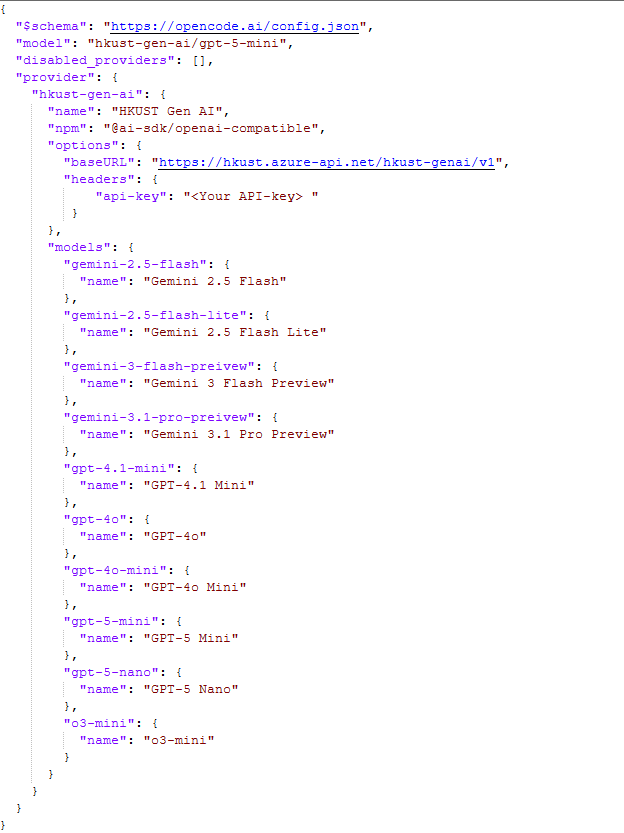
For on-boarding more than one AI models of HKUST Gen AI API, Please refer to edit json section
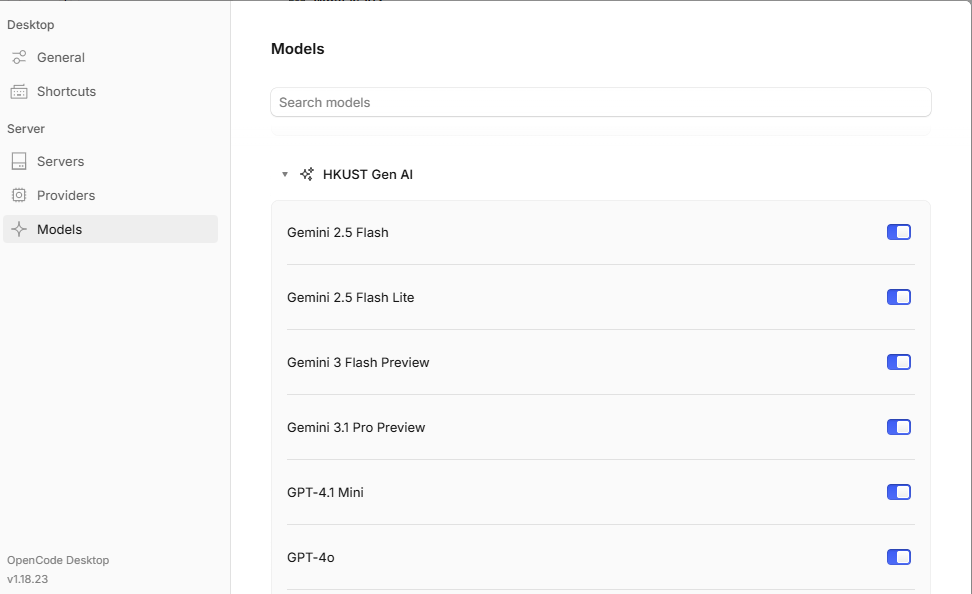
For listing all the models in Desktop app
Settings -> Models, look for HKUST Gen AI
OpenCode TUI:
1. Type /connect to create providers
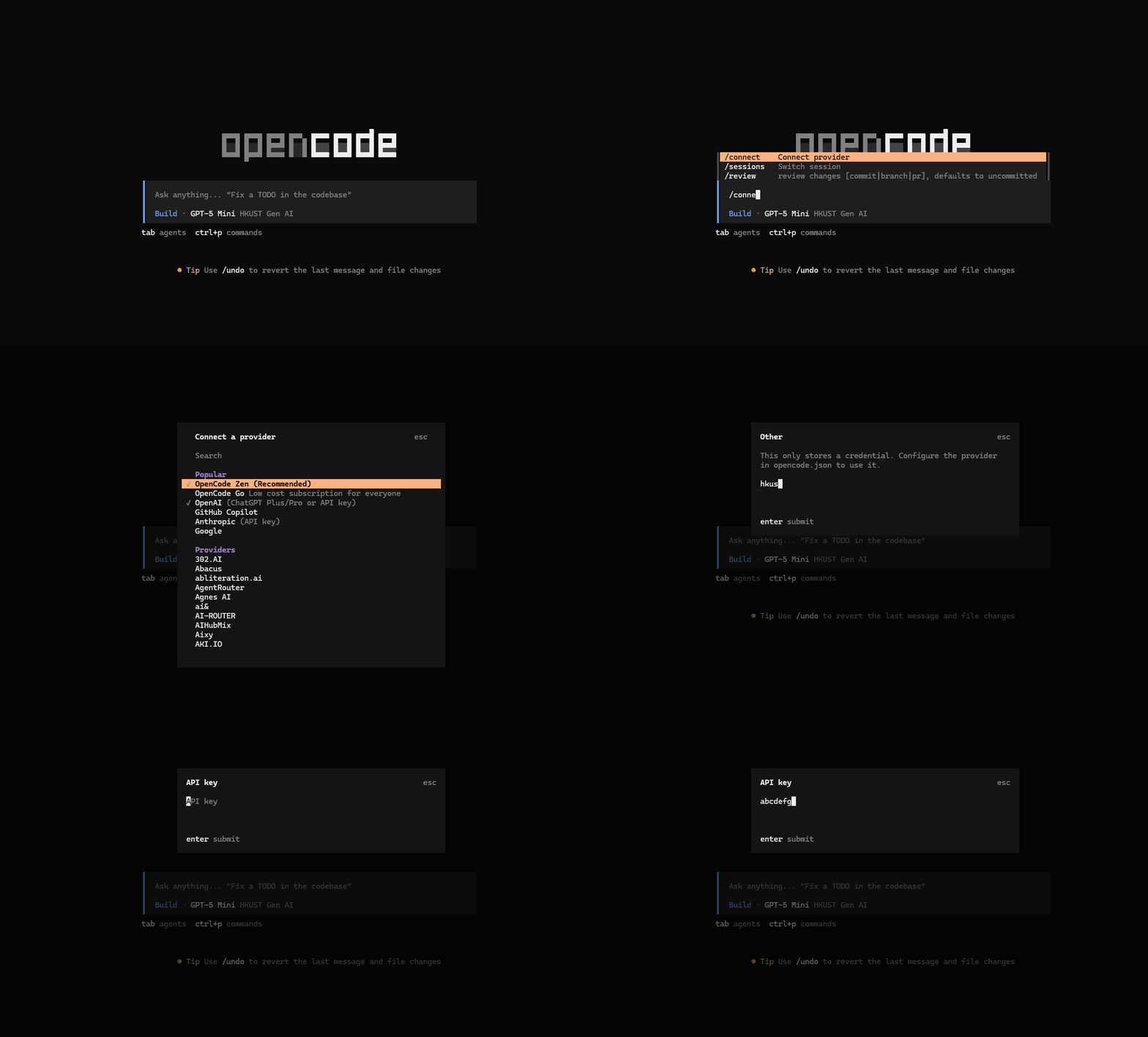
2. Update the open.code json file in your project directory as following structure. Update with your API key and the models you wish to onboard with Open Code.
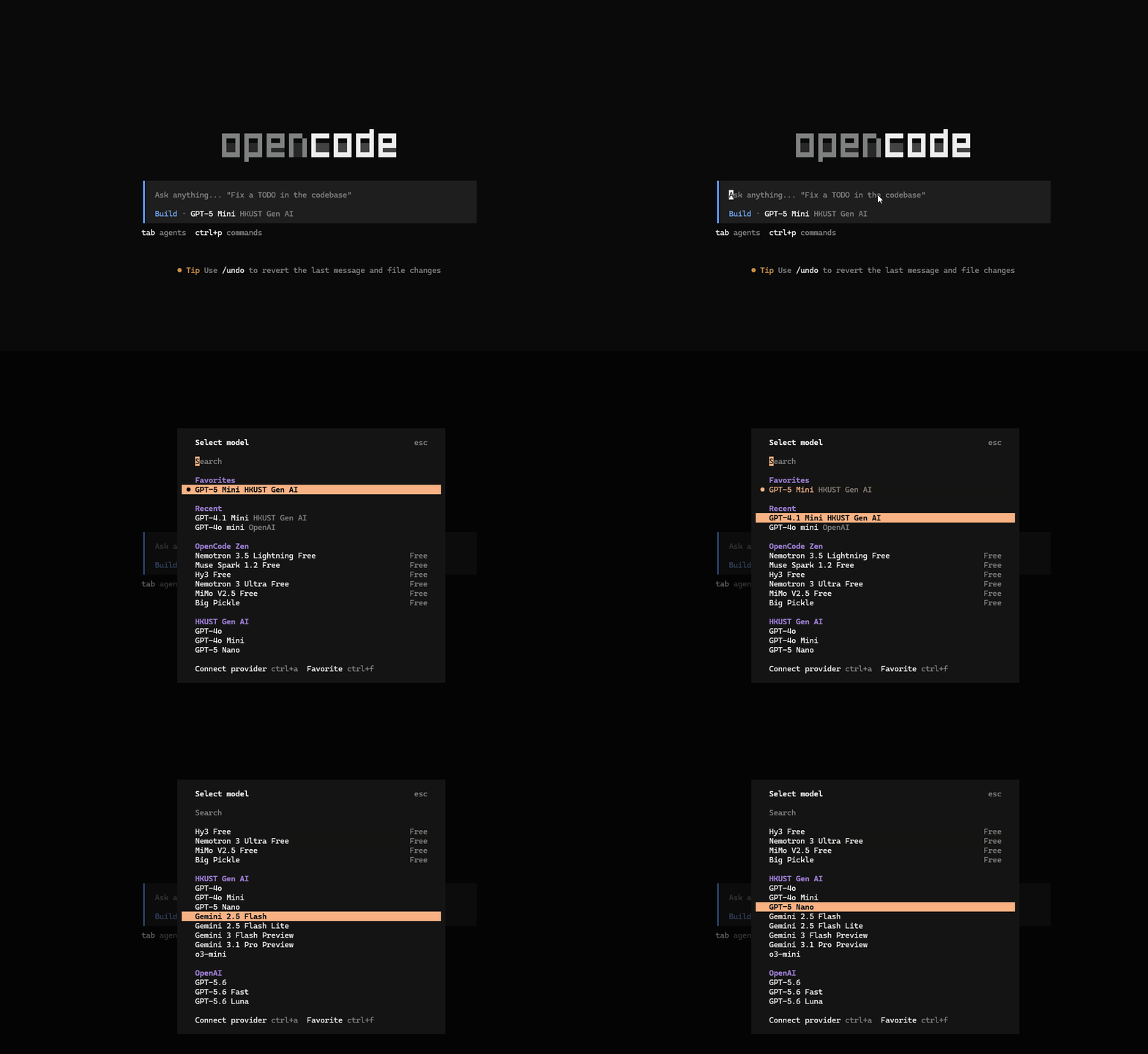
3. Type /models to list the models
If your chosen AI tools do not support adding a custom header, we offer an alternative Base URL to assist with Bearer Token authorization. Please note that this is not guaranteed to work with every tool; we provide it as-is and do not offer troubleshooting support for tool integration.
Alternative Base URL: https://hkust.azure-api.net/hkust-genai-auth/v1