
How do I share a file/folder/whole SharePoint site with all students?
Below is the information about sharing a file/folder with all students:
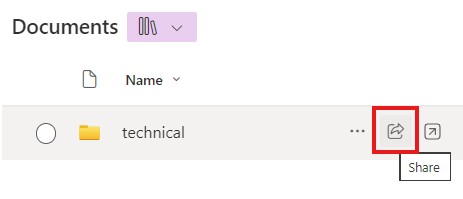
- In your SharePoint Documents library (https://gohkust.sharepoint.com/...), click the share button for the folder or file you want to share.
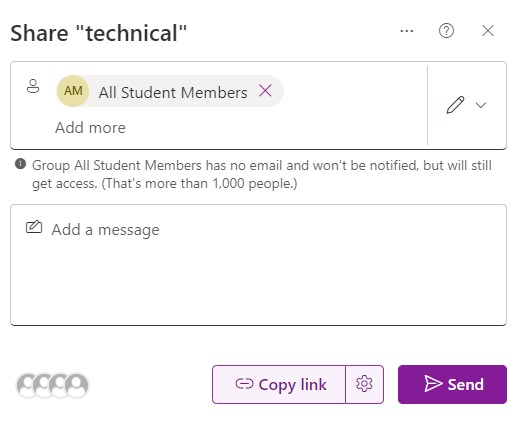
- Type the group name "All Student Members"
 '
'
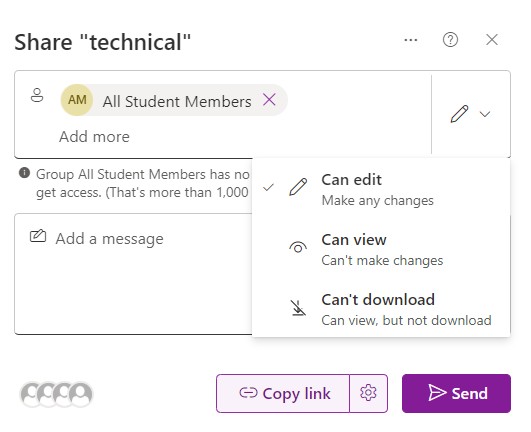
- Adjust the sharing option to "Can edit", "Can view"or "Can't download"
- Click "Copy link" and send the link to the students.
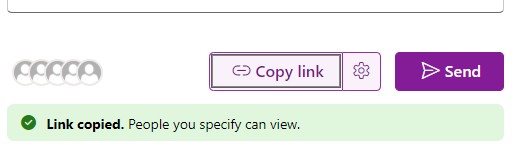
Remark: Don’t click the ‘Send’ button to avoid sending mass emails to students.
Below is the information about sharing a SharePoint site with all students:
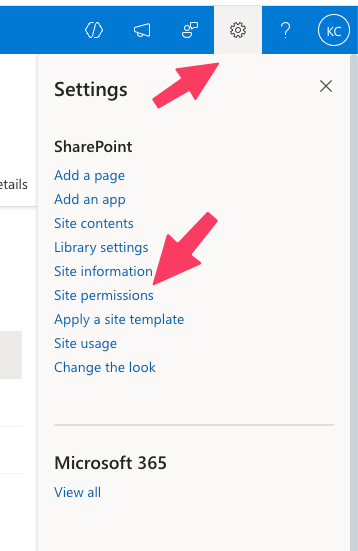
- Click setting button and "Site permissions"
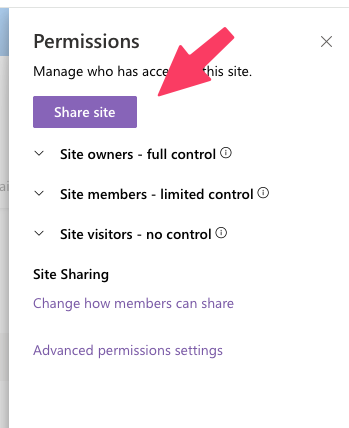
- Click "Share site"
- Type the group name "All Student Members" and select the appropriate access right
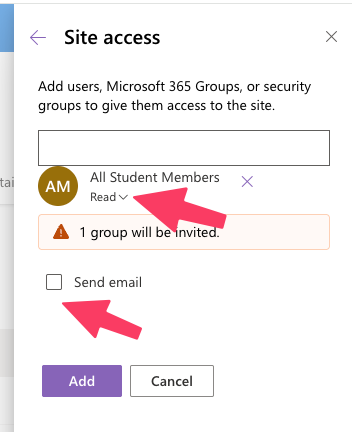
- Uncheck "Send email" option to avoid mass emails to student
- Click "Add" to add the setting.
Remark: Don’t check the ‘Send’ option to avoid sending mass emails to students.